Debugging a Bot Attack on a Commerce Store
Debugging a Bot Attack on a Commerce Store
At some point, every production system starts behaving... a bit off.
In this case, it began with subtle symptoms — slightly increased load, slower response times, and occasional spikes in traffic. Nothing dramatic at first, but enough to raise suspicion.
This article walks through how I identified a bot attack targeting application logic (not just content), what the bot was actually trying to do, and why the initial mitigation was not enough.
Something Wasn't Right
The first signals came from performance monitoring.
Request volume was higher than usual, but more importantly, certain endpoints were being hit disproportionately. The system was spending more time processing requests than it should, even under moderate traffic.
At this point, there were two possibilities:
- legitimate traffic spike
- automated traffic behaving abnormally
To confirm, I moved deeper.
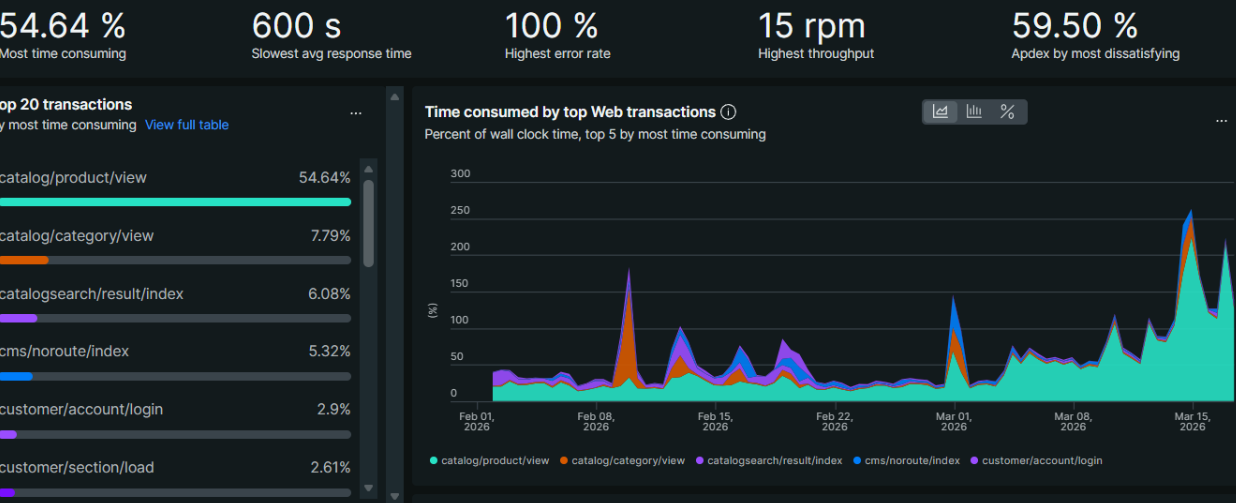
Looking at New Relic
In New Relic, the pattern became clearer.
There was a concentration of requests hitting a small set of endpoints - particularly those related to cart functionality. The requests were repetitive and structured, which is rarely how real users behave.
This was the first strong indication that we were dealing with automation.
The Logs Tell the Truth
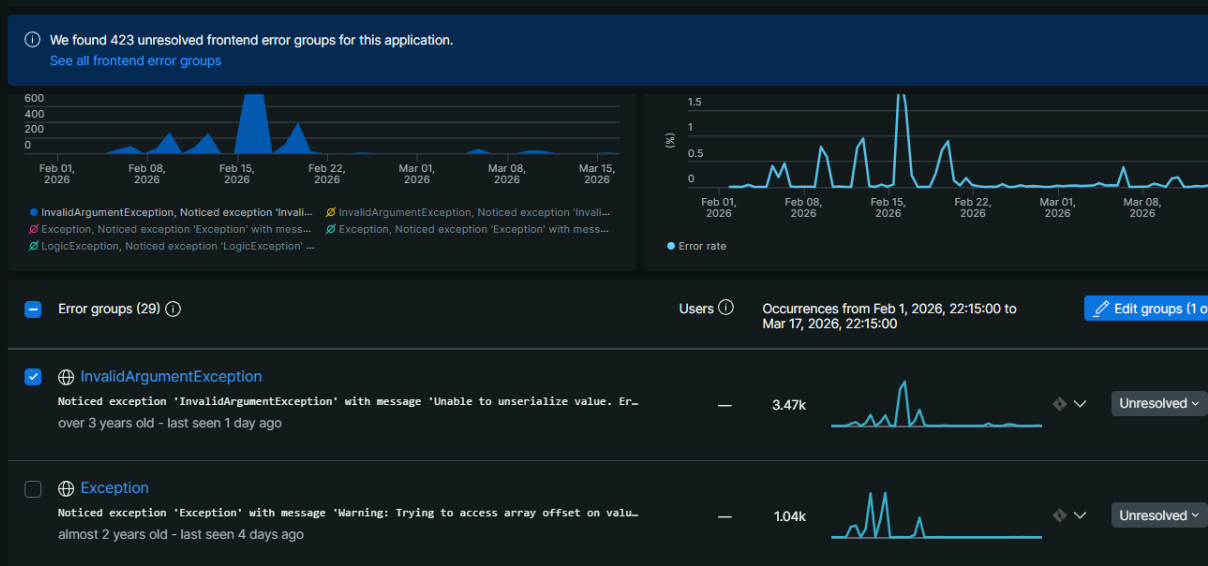
Application logs are where things become obvious.
A typical request looked like this:
GET /checkout/cart/add/... HTTP/1.1" 429
After reviewing multiple entries, a pattern emerged:
- The same IP was sending repeated requests in short intervals
- Requests were targeting cart-related actions
- User agents looked legitimate (browser-like)
- Referrers often pointed to search engines
This wasn't random crawling. It was deliberate.
What the Bot Was Actually Doing
This wasn't a scraping bot.
Instead, it was interacting with application logic, specifically:
- adding products to the cart
- triggering backend processes
- repeatedly hitting endpoints that require database operations
This type of behavior is significantly more dangerous than traditional bots.
Even a moderate number of these requests can:
- overload the database
- slow down checkout
- degrade overall application performance
First Attempt: Rate Limiting
The initial response was straightforward:
Return HTTP 429 (Too Many Requests).
And it worked - partially.
The request rate dropped, and the system stabilized somewhat.
But the bot didn't stop.
Why 429 Isn't Enough
Rate limiting sounds good in theory, but in practice:
- The request still reaches your application
- Resources are still consumed
- Bots often retry aggressively
In other words:
You're slowing the attack down, not stopping it.
The Real Fix: Stop It Earlier
The key realization was simple:
If the request reaches your application, you're already losing.
The solution is to stop it before it gets there.
What actually works
1. Edge-level blocking (CDN / WAF) Block traffic at Cloudflare or firewall level.
2. Behavior-based detection Detect patterns like abnormal request frequency.
3. Endpoint hardening Add stricter validation to cart and checkout endpoints.
4. Bot filtering tools Use dedicated bot protection when available.
Lessons Learned
- Metrics are not enough - logs are essential
- Not all bots are crawlers - some execute real flows
- 429 is not protection - only delay
- Edge-level blocking is critical
What I Would Do Immediately Next Time
- Check APM (New Relic)
- Inspect logs
- Identify patterns
- Block at CDN level
- Review sensitive endpoints
Final Thoughts
Bot traffic is evolving.
It's no longer just about scraping pages - it's about interacting with business logic.
The key is understanding:
- what is being targeted
- why those endpoints
- and where to stop it efficiently
Because once it reaches your application, it's already costing you.
A structured approach - metrics -> logs -> patterns -> edge blocking - makes all the difference.